
Send
Your purchase order, in your supplier's inbox in one click
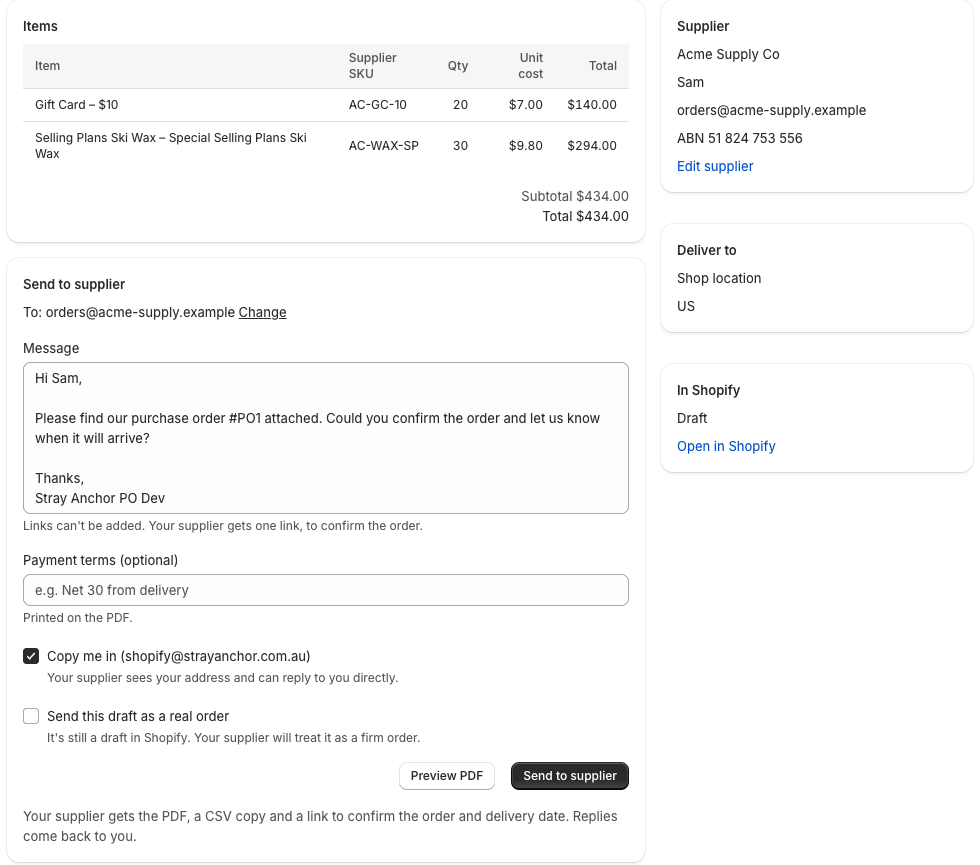
Open any purchase order you've made in Shopify, check the message and send. Your supplier gets a tidy PDF, a CSV for their system and one link to confirm.
- Sent from your store's name, with replies coming back to you
- Supplier SKUs, payment terms and your business details on the PDF
- No second system: Shopify's purchase orders stay the source of truth
Confirm
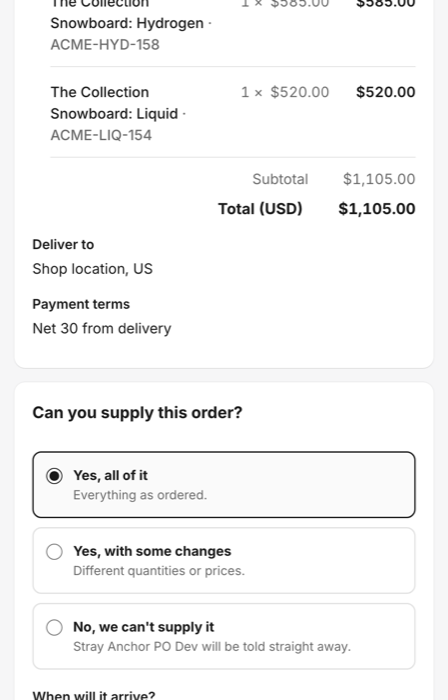
Suppliers answer from a link. No login, no portal.
Suppliers confirm everything, change quantities or prices, or tell you they can't supply, and give a delivery date. It works on a phone in under a minute.
- Their answer appears on the order straight away
- Their date updates Shopify's incoming shipment, when there is one
Replies
Supplier replies, read for you
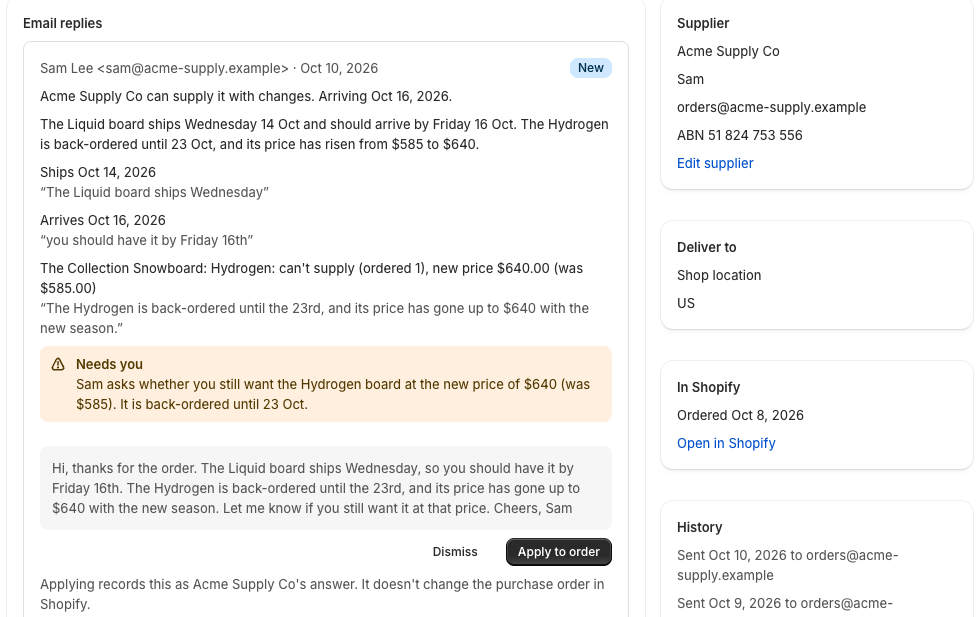
Most suppliers just hit reply. We read the email and lay out what changed: new dates, short supply, price rises. Every change quotes their own words, and nothing changes until you approve it.
- Flags replies that aren't from your supplier's real address
- Warns you when an email mentions new bank details
Chase
Know what's late before your customers do
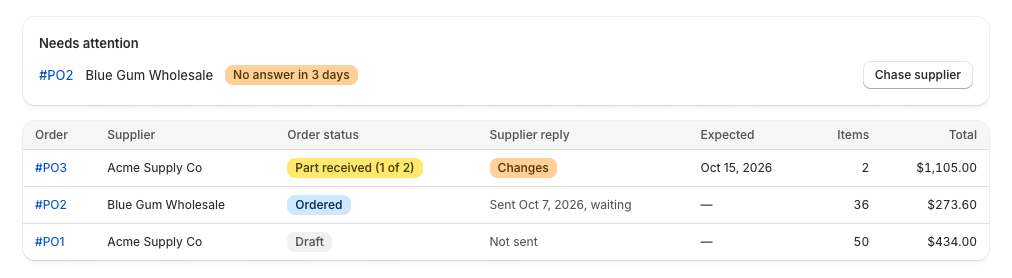
Orders with no answer, or with a delivery date that has passed, come to the top. A polite reminder is one click, and a short morning email tells you only when something needs you.
- Late and unanswered orders flagged automatically
- Reminders threaded under the original email
Receive
Labels for what actually arrived
Print barcode and price labels from the quantities you received, on standard Avery sheets or a label printer.
- UPC, EAN and Code 128 barcodes from your products
- Start part-way down a used sheet